All features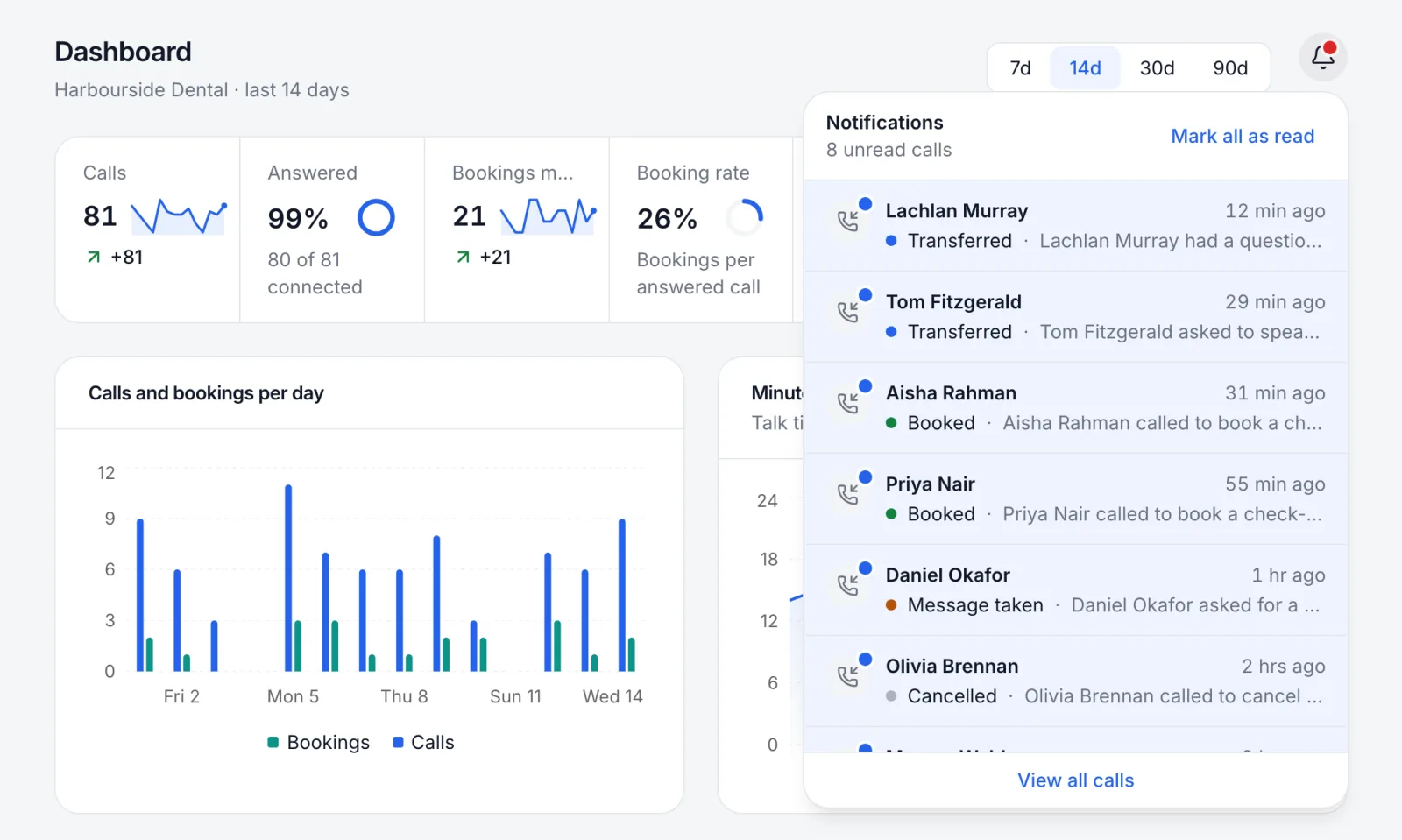
The bell, with the latest calls.
Notifications
Know the moment a call lands
New calls in the bell, and every booking by email or text to the right people.
What it does
The bell
Every new call appears in the dashboard's bell with its outcome, as it happens. Open one, or mark them all as read.
Booking emails and texts
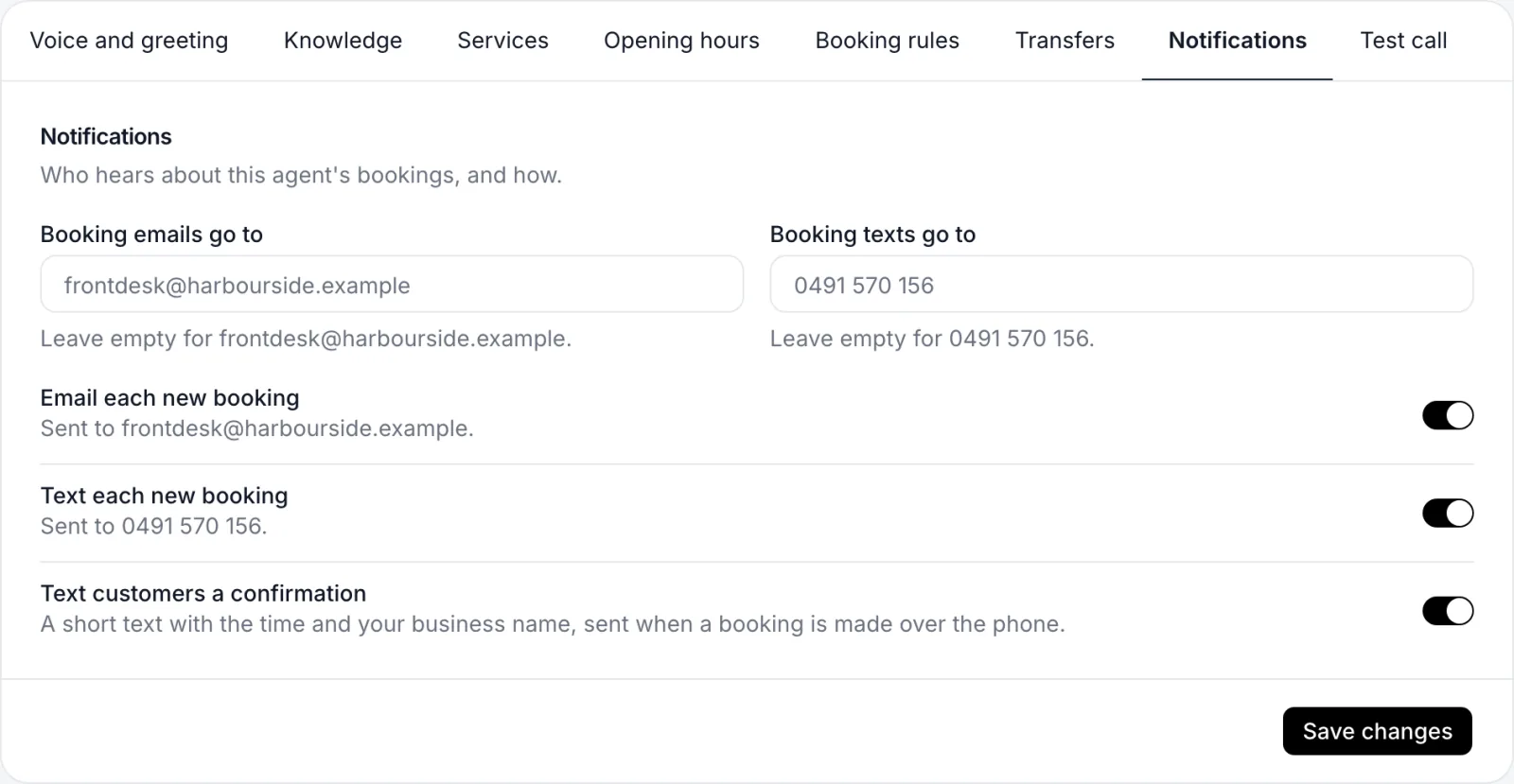
Each new booking can be emailed and texted to you the moment it's made.
To the right people
Each agent can send its bookings to its own email and mobile, so every location's team hears about theirs.
A confirmation for the caller
Turn on a short text to the caller with the time and your business name when they book over the phone.
More of the dashboard
Hear it for yourself
Talk to a demo agent in your browser, or set up your own and get an Australian number today.
Talk to Mia in your browser for up to a minute. Uses your microphone; nothing is recorded.