Your front desk, on one iPad
Lightspire Concierge is the front-desk app for salons and clinics. Keep the iPad on the desk and run the day from it. The day's bookings, one tap to mark who came in, every customer, and the offers that bring them back.

Concierge for iPad is coming to the App Store. Lightspire for iPhone is there now.
Lightspire Concierge
Everything the front desk needs
Bookings, customers and calls, and the offers that bring people back, on the iPad by the door. Everything it shows is in your Lightspire dashboard today.
The day at a glance
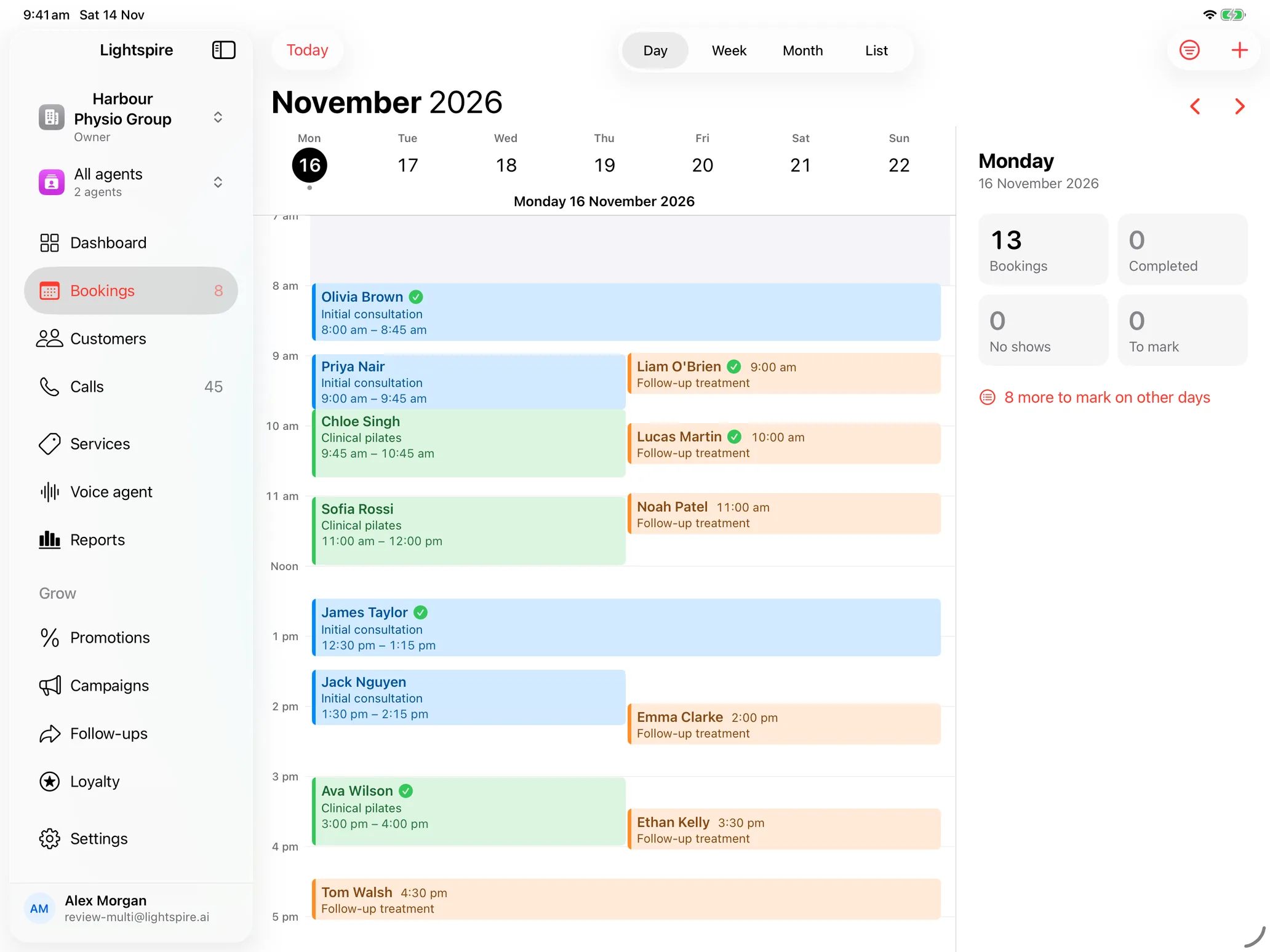
Today's bookings by day, week or month, or as a list, with the services each one is for.
One tap to mark
Tick a booking Completed as people leave, or mark a No show. Undo is right there, and anything still to mark stands out.
Every customer
Find anyone by name or number, with their bookings and their calls.
Calls and messages
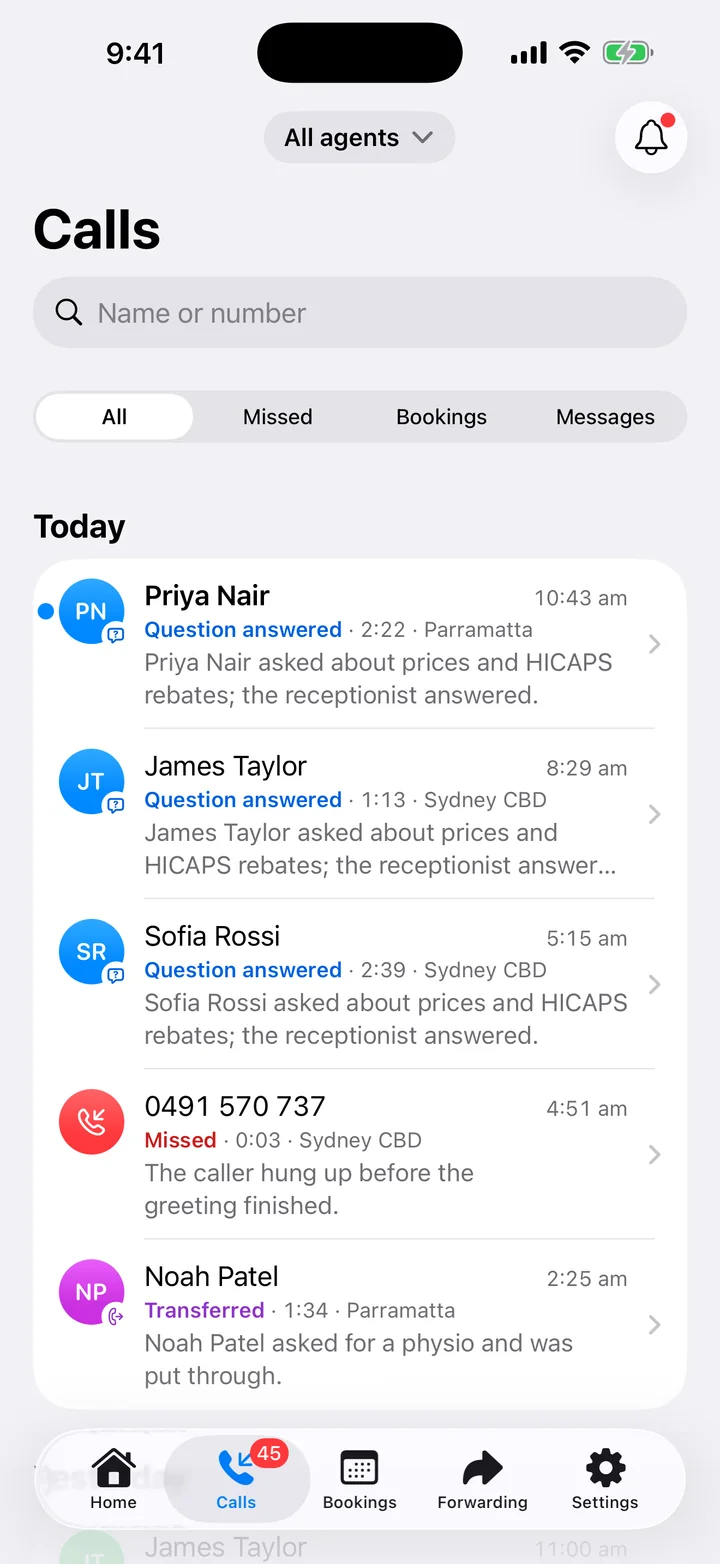
Every call your agent took with its write-up, and the messages waiting for a call back.
Bring them back
Promotions your agent tells callers about, campaigns by text and email, follow-ups and a loyalty card.
Growth plan
How you're going
Today in numbers on the Dashboard, and reports on the last 7, 30 or 90 days.
The Dashboard
Tick people off as they leave
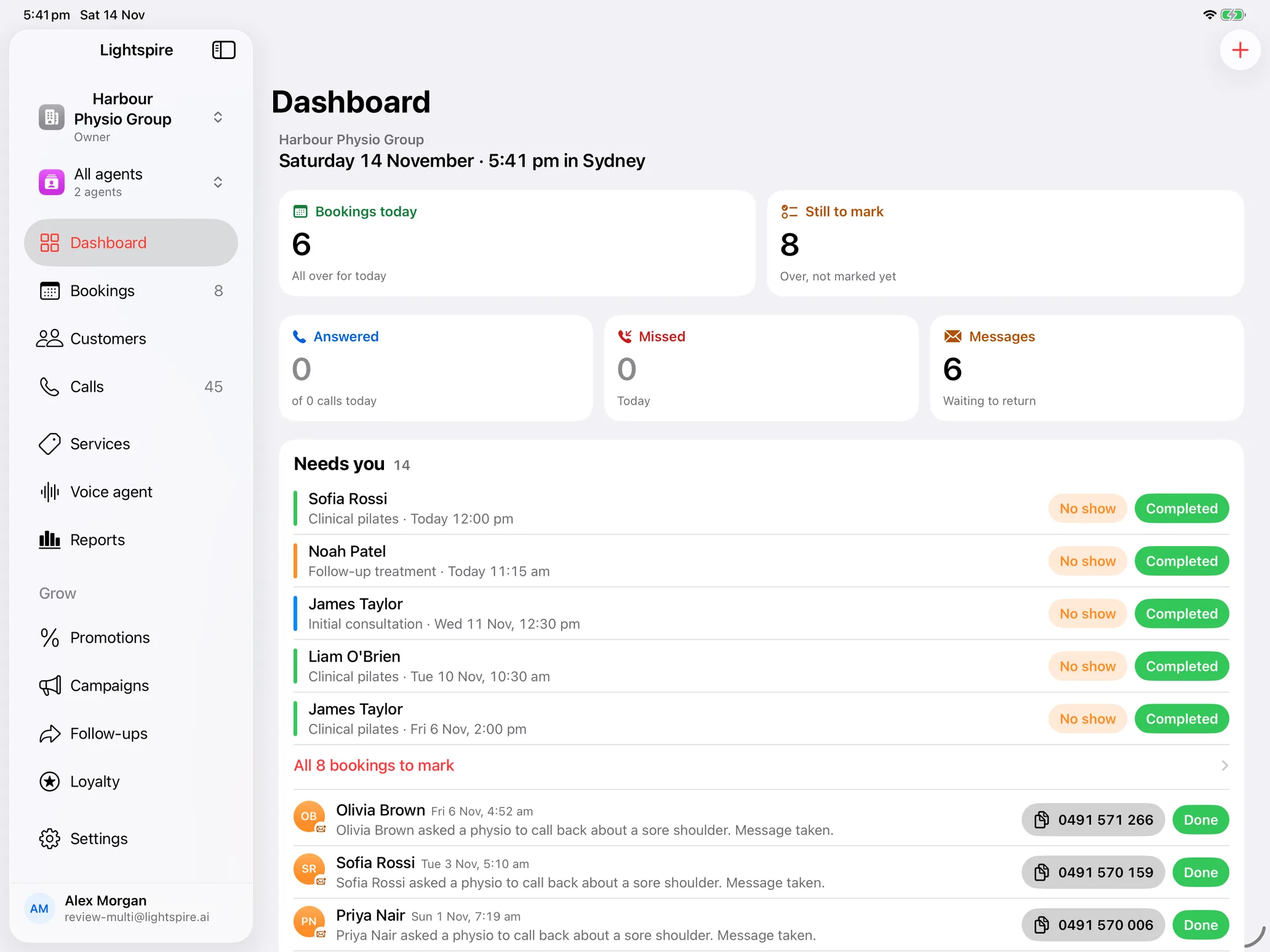
Concierge opens on today: the bookings, the calls answered and missed, and the messages to return. Anything over and not yet marked waits under Needs you, with Completed and No show on every row.
Got one wrong? Undo is there for a few seconds, and a booking can always go back to confirmed. With a loyalty program on the Growth plan, each visit goes on the customer's card as you mark it.
- Completed in one tap, from the Dashboard, the calendar or the list
- Messages to return, with the number to copy
- Live: a booking taken on a call shows straight away
Grow
Bring them back, from the desk
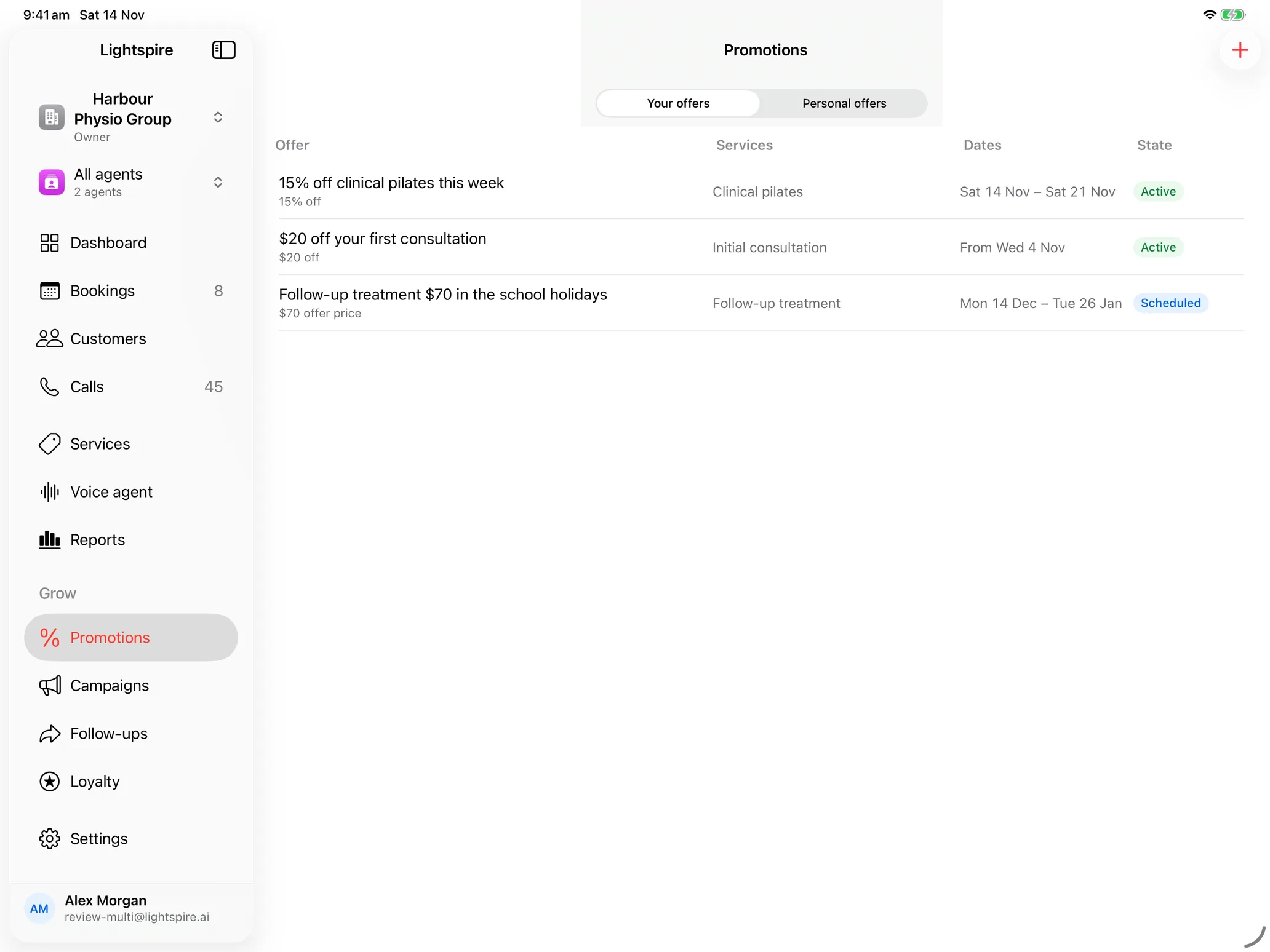
Put an offer on for a quiet week and your agent tells callers about it. Send a campaign by text or email, approve the follow-ups waiting for you, and see each customer's loyalty card fill up as you mark their visits.
On the Growth plan
Made for the front desk
For salons, clinics, physios, beauty and massage, and every business that runs on bookings. Set it on a stand at reception and leave it there.
Stays on the desk
Keep the screen on, with a banner when your agent takes a call or a booking comes in.
Live with your agent
A booking taken on a call shows on the iPad straight away.
The whole team
Everyone signs in with their own login and sees what their team access allows.
Any way round
Landscape on a stand, portrait in your hand, or beside another app.
Your account, signed in
Concierge signs in to your Lightspire account. New to Lightspire? Start free on the web or on your iPhone.
Nothing to buy on it
No prices and no purchases on the iPad: it shows your plan and the minutes left.
Lightspire for iPhone
The desk in your pocket
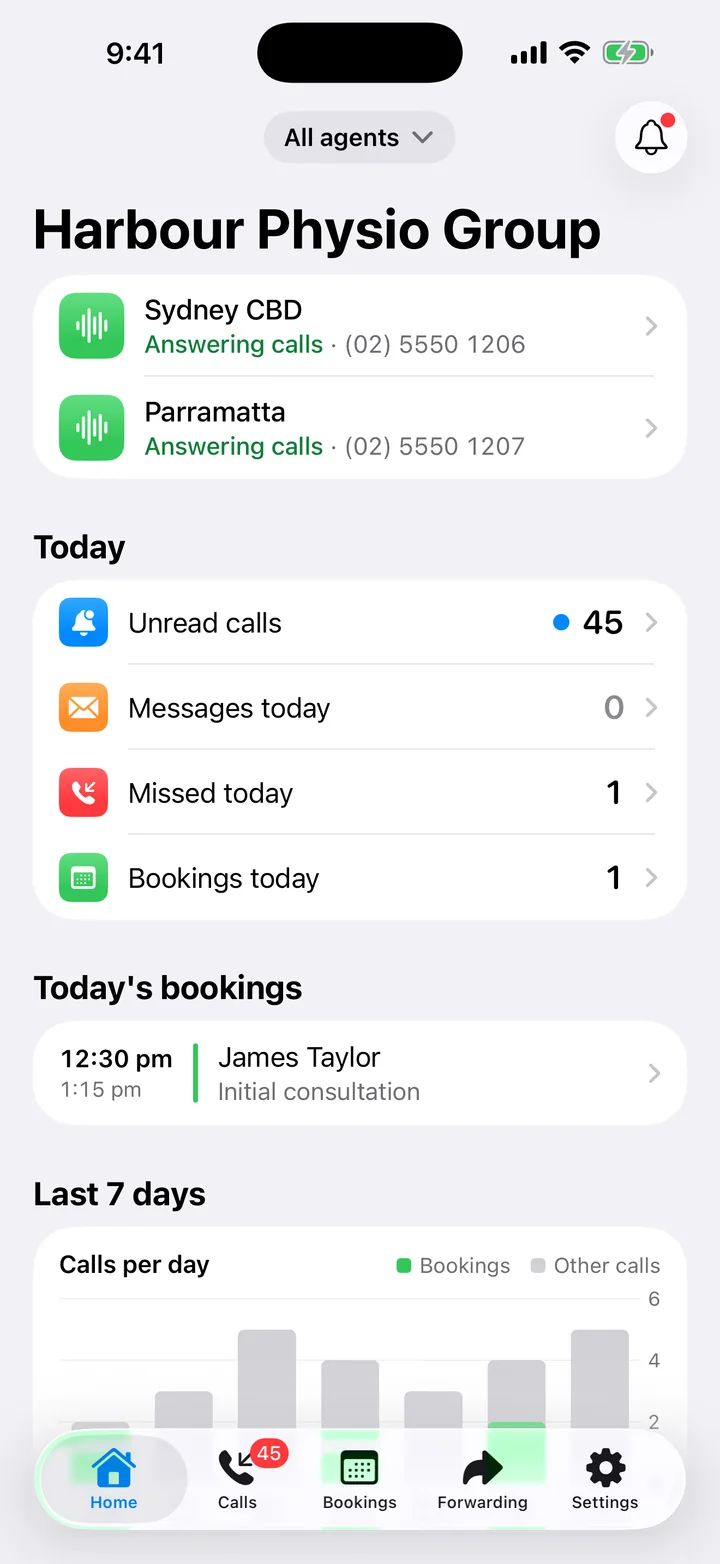
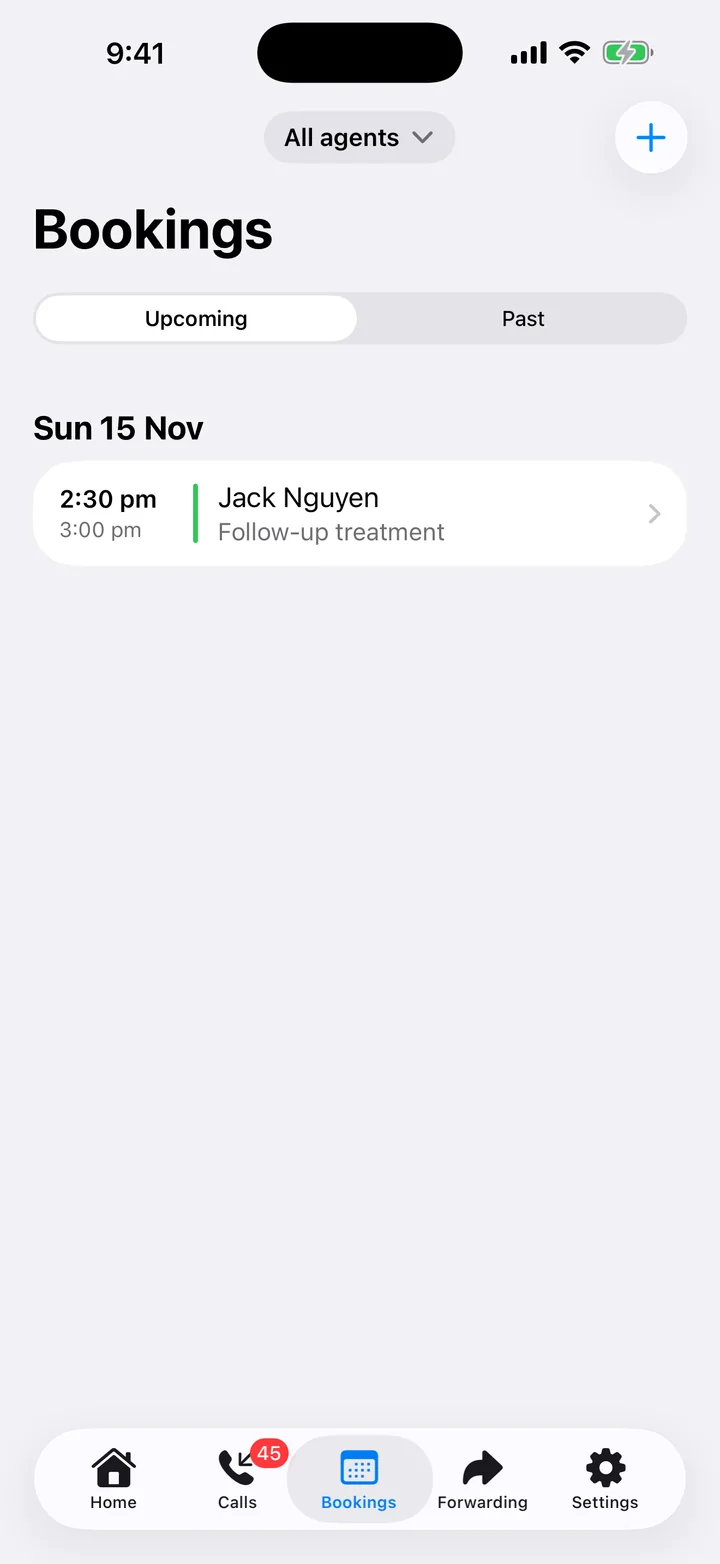
Concierge's companion. Your calls, bookings and settings wherever you are, on the same Lightspire account as the iPad on the desk.
- Calls as they happen. A notification when your agent takes a call, and the write-up the moment it ends.
- Bookings. Today and the week ahead: add one, change its status, add notes.
- Forwarding. The codes for Telstra, Optus and Vodafone, ready to dial.
- Every setting. Your agent's voice and greeting, hours, transfers, services and prices. Pause it in one tap.
Free to download, for iPhone.
Start free now, ready for Concierge
Start free: 15 minutes of calls a month, no card needed. Make your account on the web or on your iPhone, set up your agent, and when Concierge reaches the App Store, sign in on the iPad with the same account.