Connect Calendly
Connect Calendly so your agent never offers a time that's taken on your Calendly page, and adds phone bookings to Calendly when it can.
Before you start
- You have at least one active event type in Calendly. Lightspire books into it.
- To have phone bookings added to Calendly, you need a paid Calendly plan. Reading busy times works on any plan.
- More than one agent? Pick the agent at the top of the sidebar first. Each agent has its own calendars.
Four steps
Open Integrations
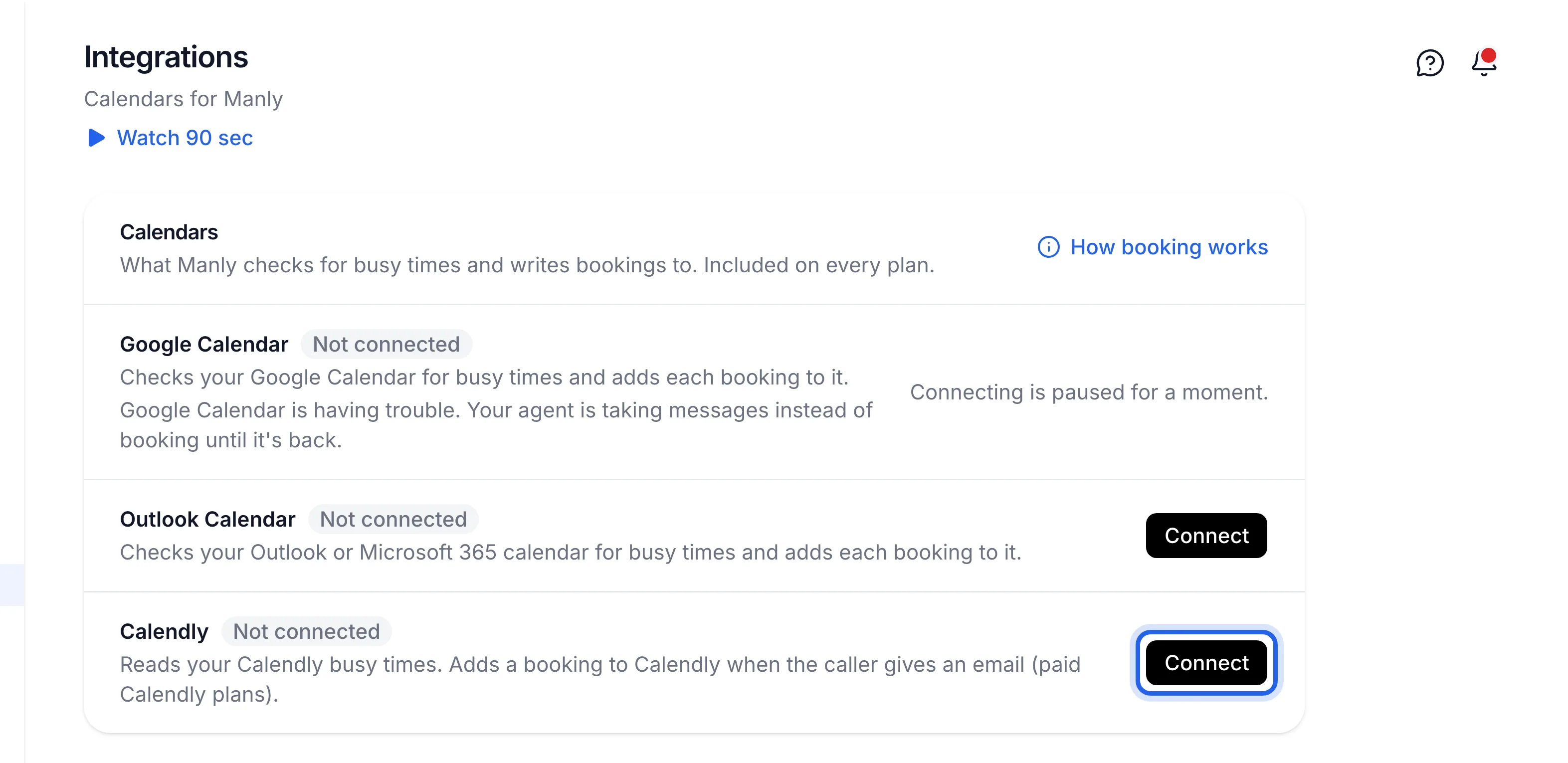
Click Integrations in the sidebar. Under Calendars, find Calendly: "Reads your Calendly busy times. Adds a booking to Calendly when the caller gives an email (paid Calendly plans)."
Click Connect and allow access
Click Connect next to Calendly, sign in to Calendly and allow what Lightspire asks for.
Lightspire books into one event type.
Check it says Connected
Back on Integrations, the Calendly row shows Connected and your Calendly email.
Know what goes into Calendly
Calendly is a booking page, not a calendar, so it works a little differently from Google or Outlook.
What happens Result Someone books on your Calendly page That time is never offered to callers Busy times in calendars you've linked to Calendly Never offered to callers A caller books and gives an email (paid Calendly plan) Added to Calendly, and Calendly emails them its own confirmation A caller books without an email Kept on Bookings and in your other calendars, but not added to Calendly Your agent asks each caller whether they'd like a text or an email confirmation. Only callers who give an email can be added to Calendly. A booking that isn't added leaves that time open on your Calendly page, so block it there yourself if you need to.
Integrations shows Calendly Connected, and a time you've booked on Calendly isn't offered when you make a test call.
Turn it off
On Integrations, click Disconnect next to Calendly, then Disconnect Calendly. Your agent stops reading Calendly and stops adding bookings to it. Bookings already in Calendly stay there.
If something's not right
It says "Calendly has no active event type to book into"
Create or switch on an event type in Calendly, then click Connect again.
It says "Phone bookings aren't being added to Calendly"
The row explains why, for example the event type needs something Lightspire can't fill in. Until it's fixed, the times your agent books stay open on your Calendly page. Fix it in Calendly, or email support@lightspire.ai with what the row says.
Bookings never reach Calendly
Adding bookings needs a paid Calendly plan and the caller's email. Busy times still work without either.