Divert a landline or office phone
Send the calls on your shop or office landline to your Lightspire number, so your agent answers them. How you do it depends on who provides the line.
Before you start
- Your Lightspire number is live. If not, see Get your Australian number.
- You know who provides the landline (it's on the bill).
- You're standing at the phone, or you have your provider's details handy.
- Diverting a mobile? Use Divert your calls to Lightspire.
Five steps
Work out which kind of line you have
Your line What to do Telstra home phone on the nbn Dial a code from the handset (the next steps) Optus home phone Ask Optus to forward it to your Lightspire number Vodafone Vodafone's nbn service has no home phone line, so there's nothing to forward Business phone system (PBX or VoIP) Set forwarding in the system itself, or ask your phone provider Another provider Follow that provider's steps, with your Lightspire number Open the Telstra home phone codes
In your dashboard, open Phone number. Under Divert your existing number, click Telstra home phone. The codes already have your Lightspire number in them.
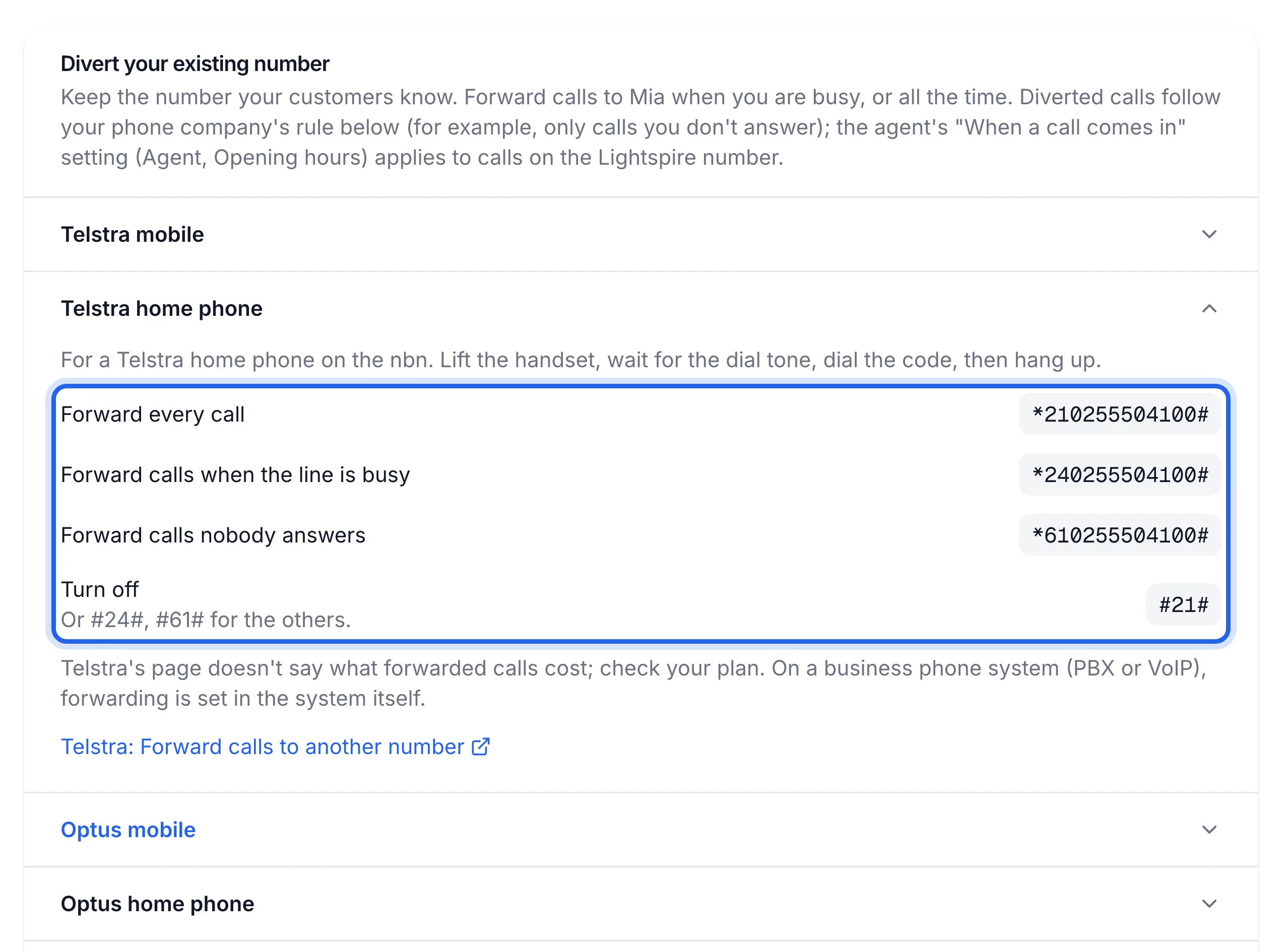
When Code Every call *21{number}#The line is busy *24{number}#Nobody answers *61{number}#Turn off #21#, or#24#,#61#for the others{number} is your Lightspire number with no spaces, starting with 0.
Dial the code from the handset
Lift the handset and wait for the dial tone. Dial the code, then hang up.
*610355501234#Example for a Telstra home phone, forwarding calls nobody answers. Uses a sample number; dial the one on your Phone number page.Telstra's page doesn't say what forwarded calls cost. Check your plan.
Ask your provider for anything else
For an Optus home phone or a business phone system, call your provider and ask them to forward the line to your Lightspire number, either every call or only the calls nobody answers. Read the number off the Phone number page.
Want a hand? On the Phone number page, Want a hand getting live? books a free 30-minute setup session with a person from Lightspire, Monday to Friday, 9am to 5pm Melbourne time. Together you turn on forwarding and place a test call.
Test it from another phone
Ring the landline from your mobile. If you chose "nobody answers", let it ring out. Your agent should pick up, and the call appears on the Calls page.
A call to your landline is answered by your agent and shows on the Calls page with a recording and a transcript.
Turn it off
On a Telstra home phone, lift the handset and dial #21# (or #24#, #61#, matching the code
you set), then hang up. For any other line, ask your provider or change it in your phone system.
If something's not right
The code didn't work on my Telstra line
These codes are for a Telstra home phone on the nbn. Older lines and business plans can differ, so ask Telstra to set the forward for you.
My office phones still ring and nobody gets the call
A phone system (PBX or VoIP) handles forwarding itself, so star codes from a desk phone may do nothing. Set it in the system, or ask the company that supplied it.
The call reaches my agent, but it says "can't take calls right now"
The forward works. Your agent is paused, out of talking time, or the plan isn't active. Check the card at the top of the Agent page, or see Calls stopped being answered.