Pause or resume answering calls
Stop your agent answering calls for a while, then turn it back on with one click. Here's what callers hear while it's off.
Watch it done
Read the transcript
0:00 Pause or resume answering calls
0:03 Going on holiday, or want to answer every call yourself today? You can pause your receptionist with one switch.
0:10 Open the Agent page. The card at the top says whether it's live, and which number it answers.
0:17 Click the switch. Lightspire checks first: while it's off, callers hear a short message asking them to try again later, and no bookings or messages are taken.
0:27 The card now says Paused, and so does the sidebar. Paused calls don't use your talking time.
0:34 One thing to know. If you divert every call to Lightspire, pausing doesn't send calls back to you. To answer them yourself, turn off your divert instead.
0:43 To resume, click the switch again. It's live straight away.
0:47 Next, see how to turn your divert on and off from your phone.
Before you start
- Your number is live and your plan is active. The switch only shows when both are true.
- Decide where calls should go while you pause. If you divert every call to Lightspire, paused calls get a short message and end; they don't come back to your phone. To answer them yourself, turn off your divert instead.
- Got more than one agent? Pick the one to pause at the top of the sidebar. Each agent pauses on its own.
Four steps
Open the Agent page
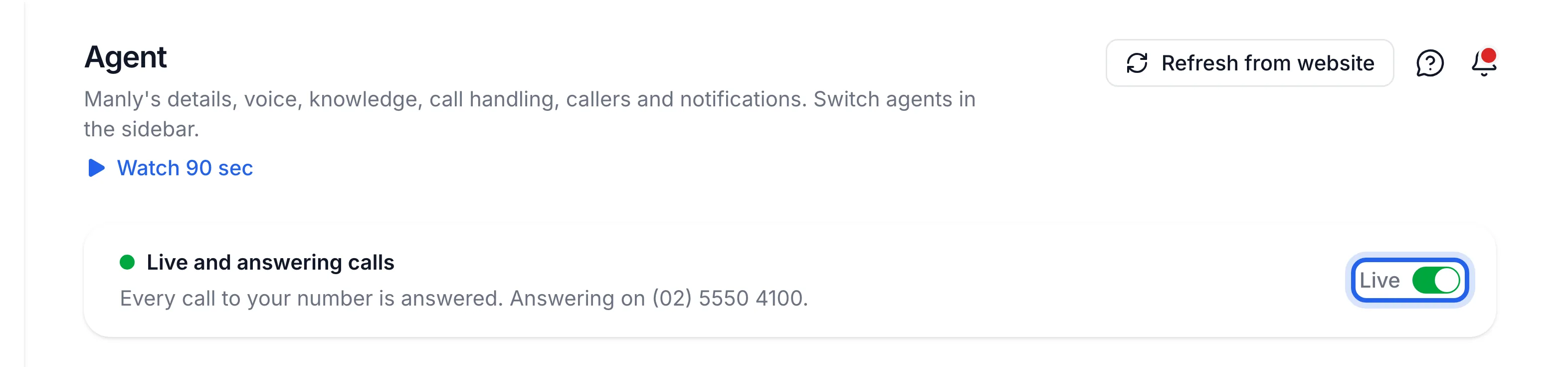
Click Agent in the sidebar. The card at the top says Live and answering calls and which number it answers on, for example "Answering on (03) 5550 1234."
Turn the switch off
Click the switch on the right of the card, labelled Live. A box asks Stop answering calls? Click Stop answering calls.
Check it says Paused
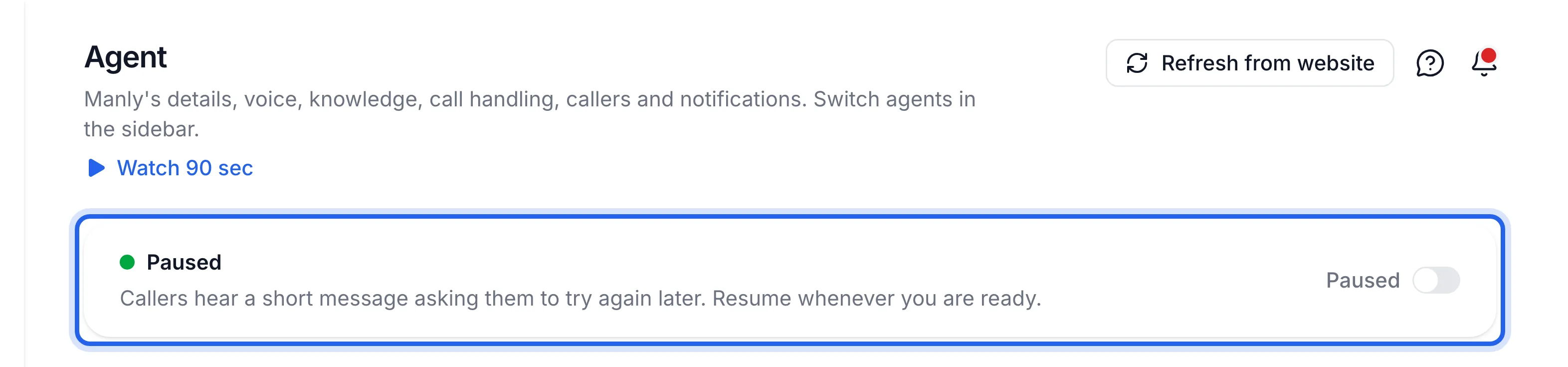
The card now shows Paused, and so does your agent in the sidebar. While paused, callers hear: "Sorry, Harbourside Dental can't take calls right now. Please try again later." Then the call ends. No bookings or messages are taken, and paused calls don't use your talking time.
Turn it back on
Click the switch again. There's no question this time. You'll see Answering calls again, and the card goes back to Live and answering calls.
The card at the top of the Agent page shows Paused while you're away, and Live and answering calls once you've turned it back on.
If something's not right
There's no switch on the card
The switch shows only when your plan is active and your number is live. The card tells you what's missing: "Choose a plan to resume answering calls." links to Billing, and "Your number isn't active yet" links to Phone number. If it says Out of talking time, click Add minutes; see Top up talking time.
I want my own phone to ring while I pause
Pausing doesn't send calls back to you. Turn off your divert with your carrier's turn-off code instead. See Divert your calls to Lightspire.
I only want it to stop taking bookings
Leave it answering and switch off Take bookings on the Booking rules tab. Callers who ask to book are offered a message instead. See Set your booking rules.