Ask callers your own intake questions
Your agent already asks for a caller's name, number and what they need. Add up to five questions of your own, such as "Is this your first visit?", and every answer lands on the booking, the call and your emails.
Before you start
- Your services are in, if you want a question asked only for one service. See Add your services, prices and opening hours.
- Know what you really need to ask. Each question adds about 10 seconds to a call, and to your minutes.
Five steps
Open the Intake questions tab
In your dashboard, open Agent, then the Intake questions tab.
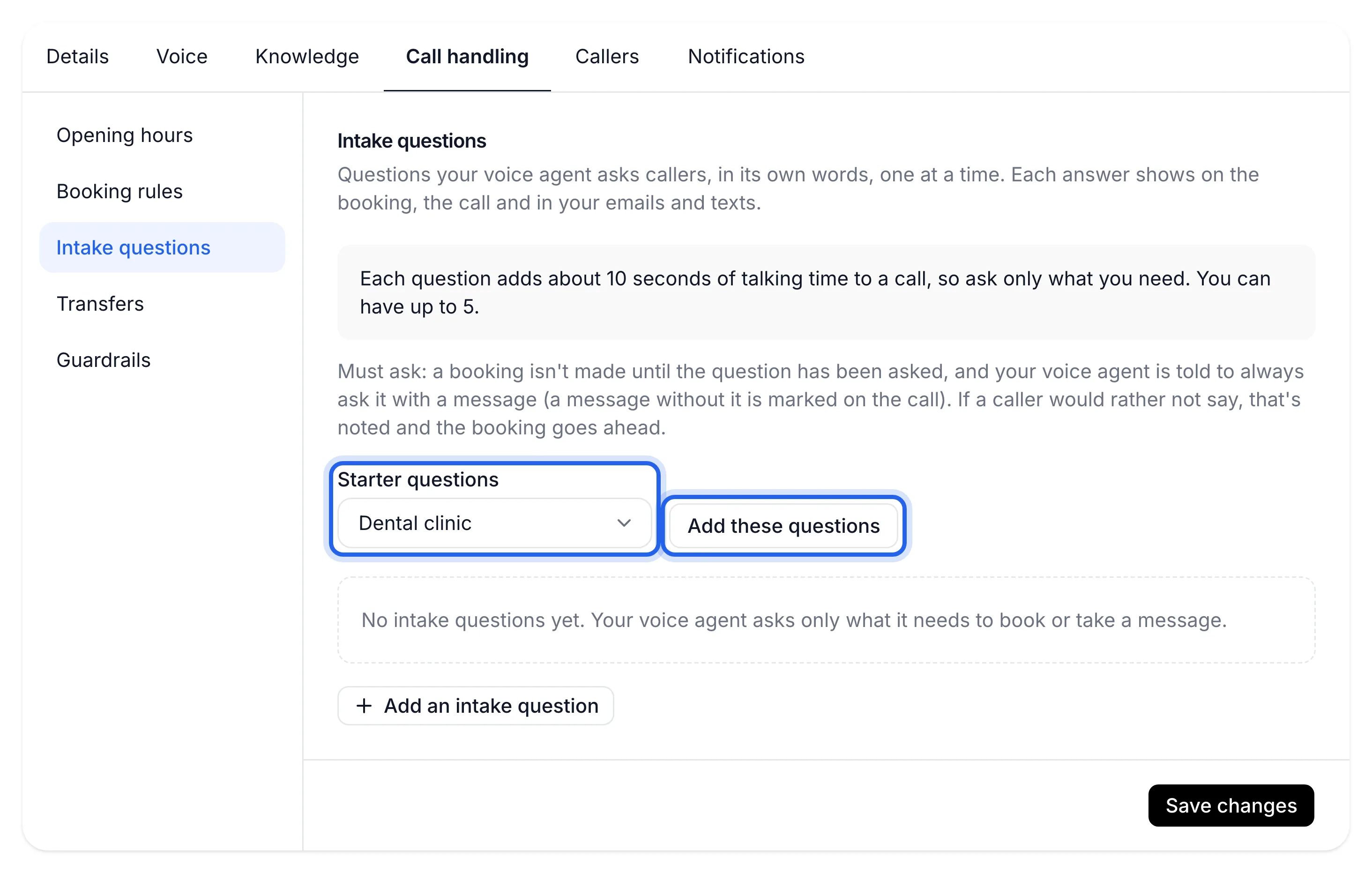
Start from your trade's starter questions
Choose your trade in Starter questions and press Add these questions. They're added to your list for you to edit. Your trade's set is picked for you when there is one. There are sets for:
Starter set What it adds Physio or chiro First visit, the injury, a GP referral or care plan, how it's paid for Dental clinic New patient, any pain now, health fund Plumber The job address, whether it's urgent, house, unit or business, owner or renting Electrician The job address, whether any power is out, house, unit or business, owner or renting Hair or beauty salon Been before, who they'd like to see, allergies or sensitive skin No set for your trade? Skip this step and press Add an intake question instead.
Write or edit each question
For each question:
- Question: what your agent should find out, up to 120 characters. It asks in its own words, one question at a time.
- When to ask: When booking, When taking a message, or Both.
- For: Every booking, or one service only. This shows when you have more than one service and the question is asked when booking.
- Must ask: switch on if a booking shouldn't be made until it's been asked.
With Must ask on, a caller who'd rather not say is noted as "didn't say" and the booking still goes ahead. A message taken without the answer is marked on the call.
Keep the list short
The grey box at the top shows how much longer a call takes with your questions, for example "With these 3, a call takes about 30 seconds longer." You can have up to five. Press Remove on any you don't need.
Save your questions
Press Save changes. You'll see "Intake questions saved". They're asked from the next call.
Your next booking shows the caller's answers, on the booking, on the call, and in your "New booking" email.
Turn it off
Press Remove on each question, then Save changes. Your agent goes back to asking only what it needs to book or take a message.
If something's not right
It didn't ask my question
Check When to ask: a "When booking" question isn't asked when a caller leaves a message. Check For: a question for one service is asked only for that service. If Take bookings is off in Booking rules, only questions asked when taking a message are used.
I can't see the For field
It appears only when you have more than one service, and not for questions asked only when taking a message.
Calls are taking longer than before
Every question adds about 10 seconds. Remove the ones you can find out later, or switch Must ask off for questions that are nice to know.
I can't add another question
You can have five. Remove one first.