Change or cancel your plan
Change plan or cancel any time from Billing. There's no lock-in contract. Moving up gives you more minutes every month; cancelling stops the charges.
Before you start
- You're the account owner and you're on a paid plan. On the free trial, there's nothing to cancel: it ends by itself and nothing is charged. To pick a plan instead, see Choose a plan.
- Need more minutes just this month? A top-up may suit you better than a bigger plan.
- Just need a break? You can pause answering instead of cancelling.
Four steps
Open Billing
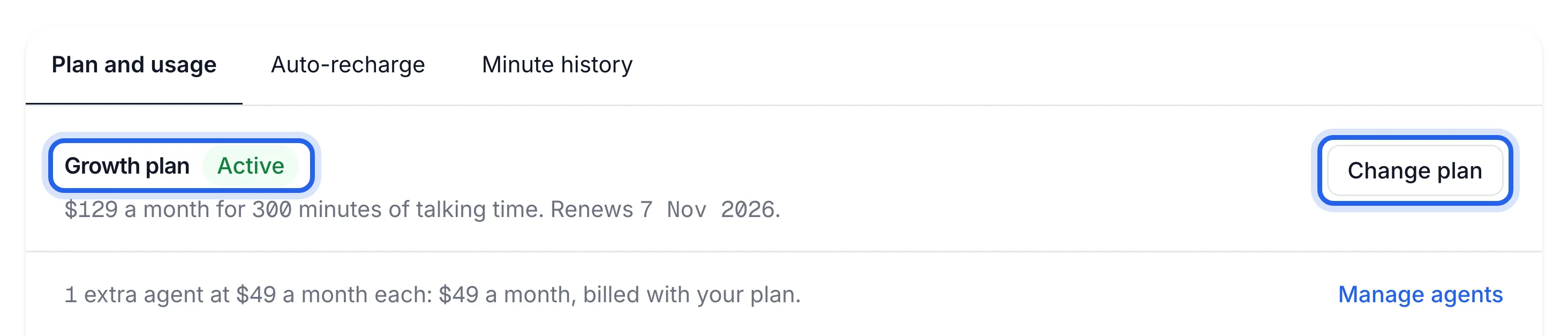
In the sidebar, under Account, click Billing. At the top of the Plan and usage tab you'll see your plan's name, its status, the price, your minutes and the date it Renews.
Click Change plan
Click Change plan next to your plan. Stripe's billing page opens in the same tab. That's where you change plan, cancel, update your card and see invoices.
Change to another plan
Choose the plan you want and confirm. Stripe works out the difference for the rest of the month. Use the link back to Lightspire to return to Billing, where the new plan shows.
Plan Price (incl. GST) Minutes each month Starter A$49 a month 100 Growth A$129 a month 300 Pro A$299 a month 800 When you move up, your new monthly allowance applies straight away, and the minutes you've already used this month still count against it.
Or cancel
On Stripe's billing page, click to cancel your plan and confirm. Your voice agent keeps answering until the end of the month you've paid for. After that it stops, your Lightspire number is released, and any extra agents end with the plan.
Billing shows your new plan with an Active badge, or, once a cancelled plan has run out, a Cancelled badge with the date it ended.
Before you cancel
- Download anything you want to keep: Download a report and export your customers.
- Turn off your divert, or callers will be sent to a number that's no longer yours. See Divert your calls.
- Unused top-up minutes only last while your plan is active.
If something's not right
"We couldn't open your invoices and plan settings"
Stripe's page didn't open. Wait a moment and click Change plan again.
I changed plan but my minutes look the same
Refresh Billing. Your new allowance shows under Usage this period, and the Minute history tab shows a Plan changed line.
I cancelled by mistake
If the month you paid for hasn't ended, call 1300 330 640 or email support@lightspire.ai straight away.
I want to remove an extra location, not cancel everything
Remove just that agent on the Agents page. Its A$49 a month stops. See Add an agent for another location.